
OVERVIEW
For this assignment, I was tasked with designing an AI Co-Pilot feature that can be integrated into a digital tool that could be improved with AI to make life easier. I decided to implement Copilot into the Zoom app because I felt that Zoom is a platform that is still commonly used today and often times can be difficult for people to use, especially if they are unfamiliar with technology.
CHALLENGE
My primary audience for this Sprint was those who have trouble navigating Zoom, and struggle to figure out how to find what they need in the limited time people have when in a meeting. Because people often do not have time to google how to find certain features while in a Zoom meeting, I integrated an AI help feature directly into Zoom. My experience with using Zoom for a usability test, as well as throughout the pandemic, guided my design, as many people tend to have difficulty sharing their screen while in meetings.
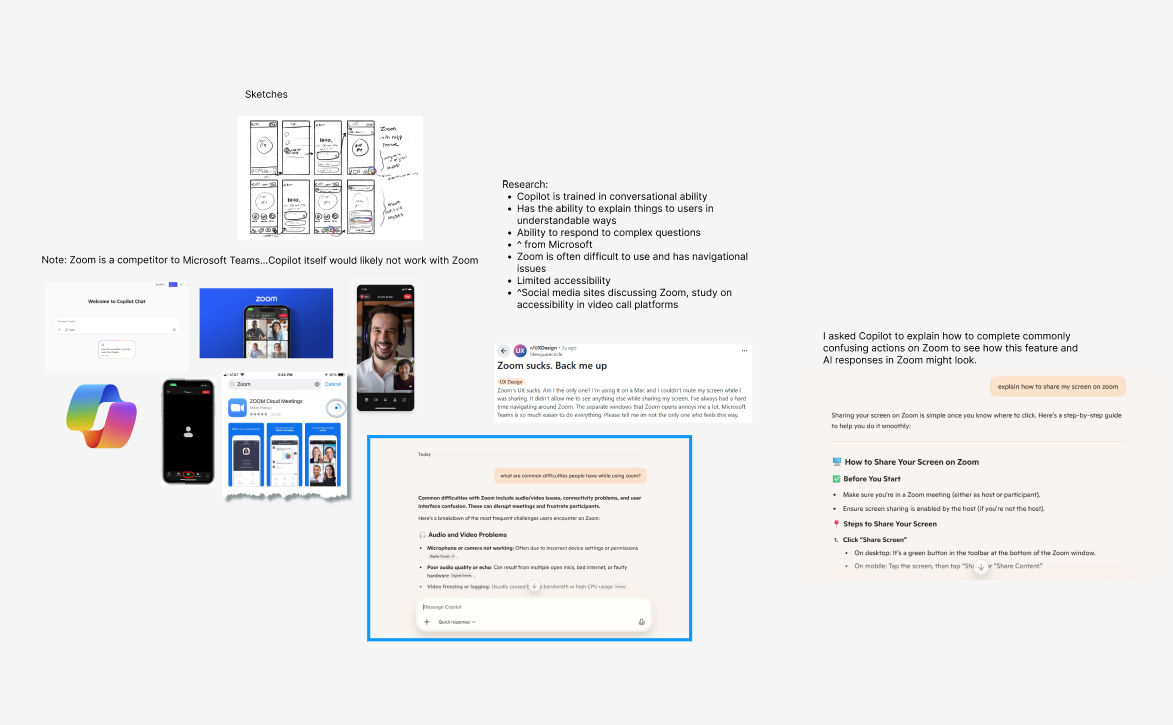
I also did research on what the primary issues with Zoom were, and many people noted navigation issues, as well as bad UX in general. The Zoom app is even less refined than the desktop version, and I decided that it would be more fitting for a redesign and AI integration.
SOLUTION
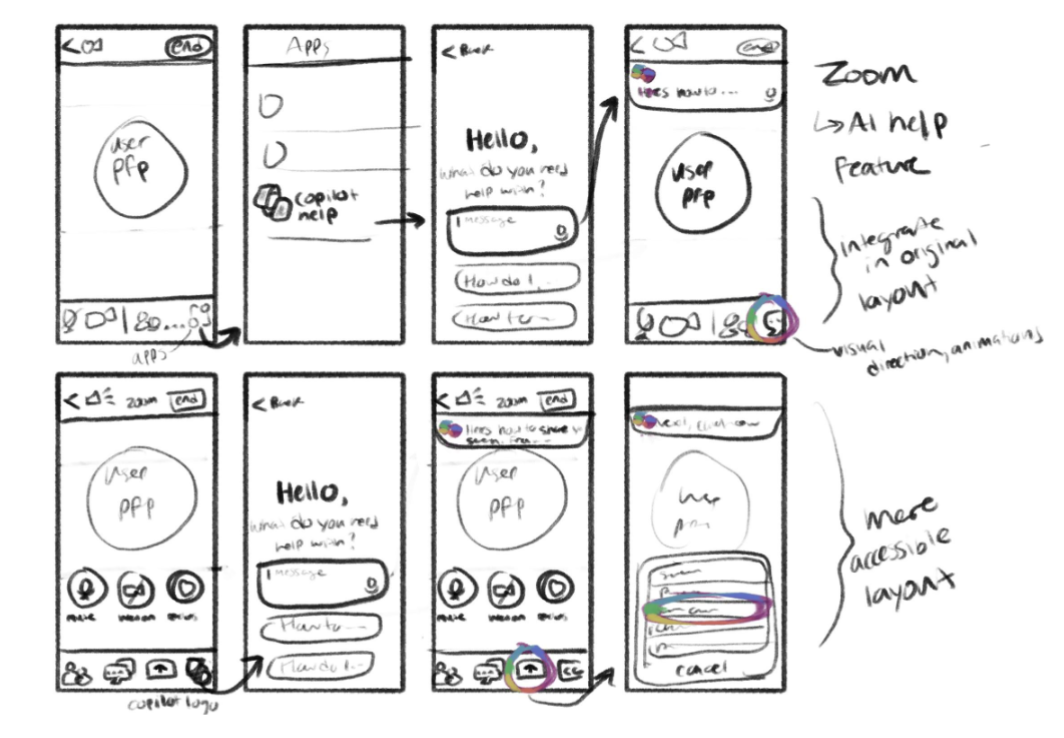
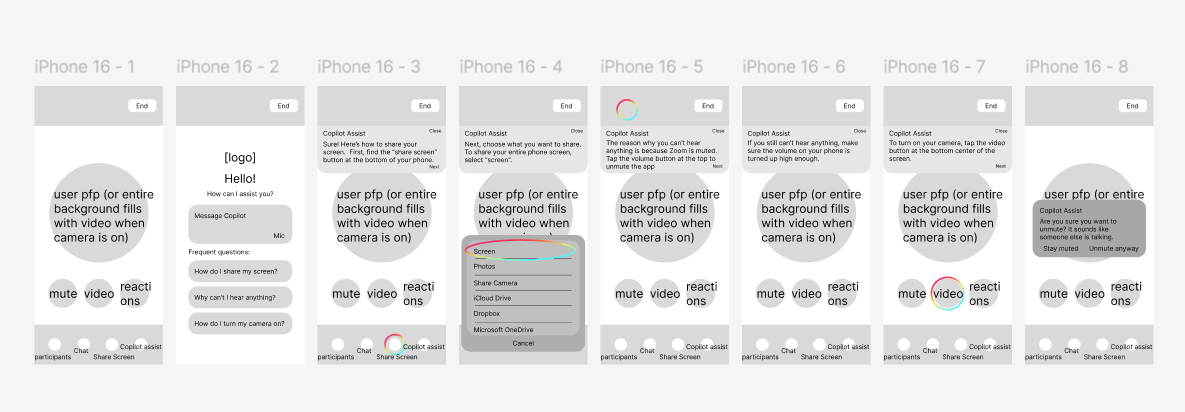
In my redesign prototype, I aimed to integrate Copilot into Zoom in a way that felt natural and not out of place. I also accentuated some buttons to make them more accessible, and help them stand out among other buttons that are typically used less. Below are my sketches, wireframes, and final prototype created in Figma.
EVALUATION
The most challenging part of this assignment was figuring out where to put the AI help feature, as in order for users to use the feature to navigate the app easier, they need to be able to locate the feature easily. Another challenging part of the assignment was using AI to figure out how it would respond to user questions, as I don’t have much experience using
AI. I am most proud of the redesign of the app in terms of the colors and typography, as I feel that it represents the Zoom branding much better than the original. If I had more time, I would have wanted to add more potential ways the AI could help throughout the app.
AI. I am most proud of the redesign of the app in terms of the colors and typography, as I feel that it represents the Zoom branding much better than the original. If I had more time, I would have wanted to add more potential ways the AI could help throughout the app.
To pitch this design, I would state that my redesign of the Zoom app addresses many issues with the original, as well as adding an AI feature that would make Zoom stand out amongst all the video call platform competitors. The AI feature I added provides users with a fast and
easy way to navigate the app, without them having to leave Zoom to look up how to access a feature. I also adjusted the layout and colors of the app to better reflect the Zoom branding and make important buttons stand out, such as the mute and video buttons.
easy way to navigate the app, without them having to leave Zoom to look up how to access a feature. I also adjusted the layout and colors of the app to better reflect the Zoom branding and make important buttons stand out, such as the mute and video buttons.